Open source MIT core Drag-and-drop uploads & folders Portals, automation, and AI workflows FileRise Pro v1.10.0

Self-hosted file hub, client portals, and AI workflows on your infrastructure.

Start with FileRise Core for fast, production-ready file management with sharing, WebDAV, strong ACLs, and security controls. Upgrade to Pro for branded portals, Search Everywhere, audit logs, automation, multi-source workflows, and a permissions-aware AI workspace that can extract structured data, organize folders, and run scoped workflows with approvals.

This is the official website for FileRise, the self-hosted file manager at github.com/error311/FileRise

Open source MIT core · 909 GitHub stars · 61,438 Docker pulls · no telemetry · local license validation

Not a subscription: keep what you bought. Renewal is optional only if you want newer updates.

Start with Core. Add Pro for advanced workflows.

Core handles daily self-hosted file management out of the box. Pro is for teams that need branded client portals, multi-source workflows, deeper auditing, automation, cross-source search, and a permissions-aware AI workspace for extraction, organization, approvals, and scoped copilots.

Core (Free · MIT) Included

  • Uploads/transfers, file operations, previews, and inline editor
  • Per-folder ACLs, sharing, WebDAV, auth/security controls
  • No external DB required, plus admin and operations basics
  • Sources in Core: Local + WebDAV

Pro Add-on Advanced

  • Advanced sources: S3/SFTP/FTP/SMB/GDrive/OneDrive/Dropbox
  • User groups, Search Everywhere, audit logs, and automation
  • AI workspace: structured extraction, folder organization, bulk workflows, and approvals
  • Share/portal copilots with visible-scope answers and citations
  • Branding controls, client portals, storage explorer, and everything in Core
  • Gateway Shares v2: managed SFTP/S3 + scoped external access

Watch FileRise Pro feature demos

Start with the newest AI workflow demos, then open the broader Pro library when you want deeper walkthroughs.

New: AI Workflow Demos Structured extraction and folder organization inside real FileRise scope.
FileRise Pro AI Demo: Organize a Messy Folder by File Type thumbnail

FileRise Pro AI Demo: Organize a Messy Folder by File Type

Live

See FileRise create the folder structure live, sort files automatically, and clean up a messy directory in seconds.

FileRise Pro AI Demo: Rasterized Invoices -> JSON/CSV from a Custom Schema thumbnail

FileRise Pro AI Demo: Rasterized Invoices -> JSON/CSV from a Custom Schema

Live

Watch FileRise extract structured data from scanned/rasterized invoices and write clean JSON/CSV output directly into the workspace.

FileRise Sources Demo: Add Additional Storage and Switch Instantly thumbnail

FileRise Sources Demo: Add Additional Storage and Switch Instantly

Live

Add and test sources, then switch instantly from the source selector while keeping normal file workflows.

FileRise Pro: Appearance & UI Branding Demo (Custom Logo + Theme Colors) thumbnail

FileRise Pro: Appearance & UI Branding Demo (Custom Logo + Theme Colors)

Live

Customize branding with header title, logo, color settings, and UI presentation options.

FileRise Pro: Search Everywhere Demo (Fast Cross-Source File Search) thumbnail

FileRise Pro: Search Everywhere Demo (Fast Cross-Source File Search)

Live

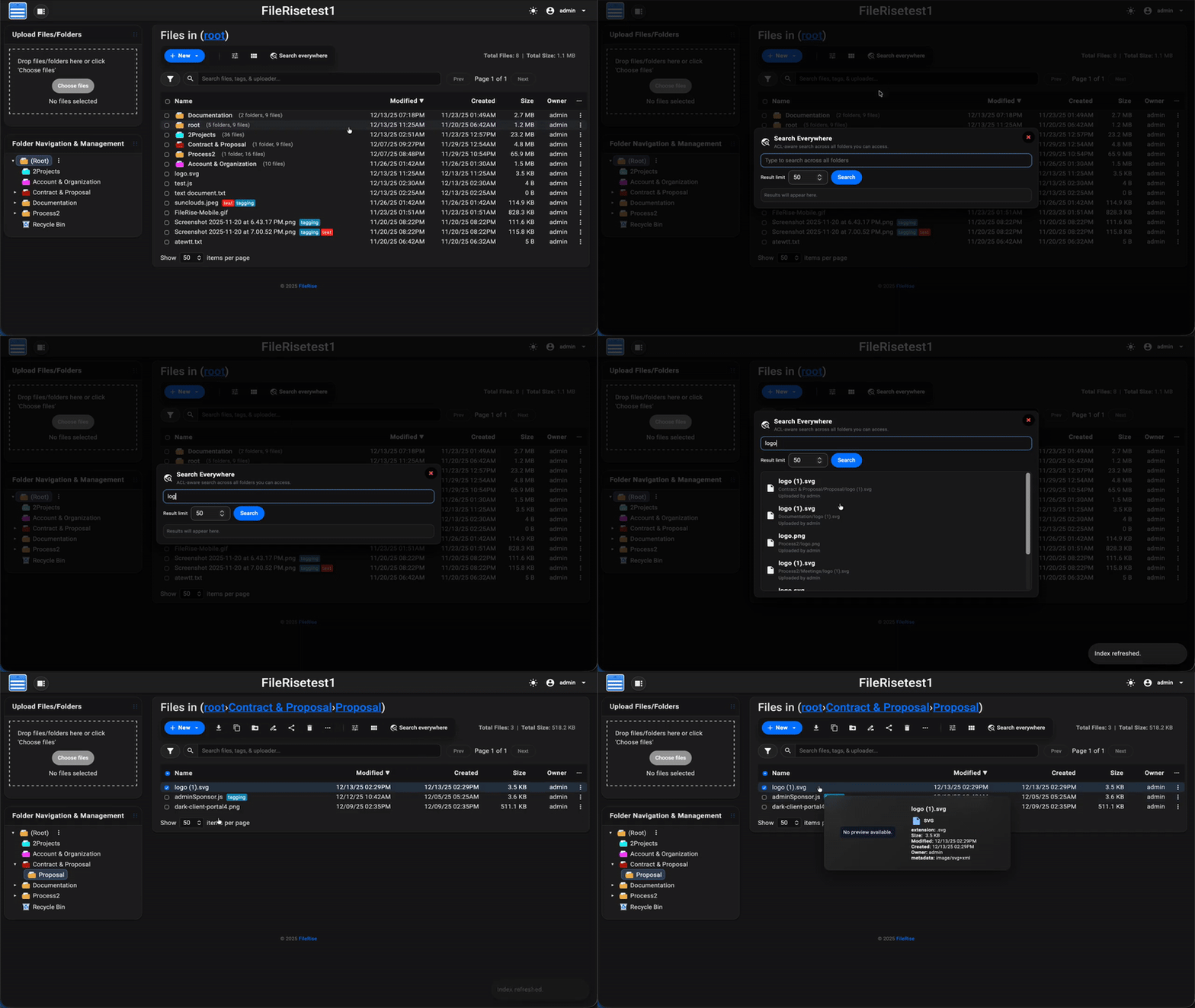
Run ACL-aware cross-source search and jump directly to matching files and folders.

FileRise Pro: Audit Logging Demo (Verbose Mode, Filters, CSV Export) thumbnail

FileRise Pro: Audit Logging Demo (Verbose Mode, Filters, CSV Export)

Live

Track critical actions and export logs for review, support, or compliance workflows.

FileRise Pro: User Groups Demo (Group Access + Folder Permissions) thumbnail

FileRise Pro: User Groups Demo (Group Access + Folder Permissions)

Live

Create groups, assign folder access once per team, and reduce per-user ACL management.

FileRise Pro: Storage Explorer Demo (Rescan, Analysis, Deep Delete) thumbnail

FileRise Pro: Storage Explorer Demo (Rescan, Analysis, Deep Delete)

Live

Rescan usage, inspect heavy paths, and clean up with safe controls and deep delete when needed.

FileRise Pro: Gateway Shares Demo (Managed Mode + MCP) thumbnail

FileRise Pro: Gateway Shares Demo (Managed Mode + MCP)

Live

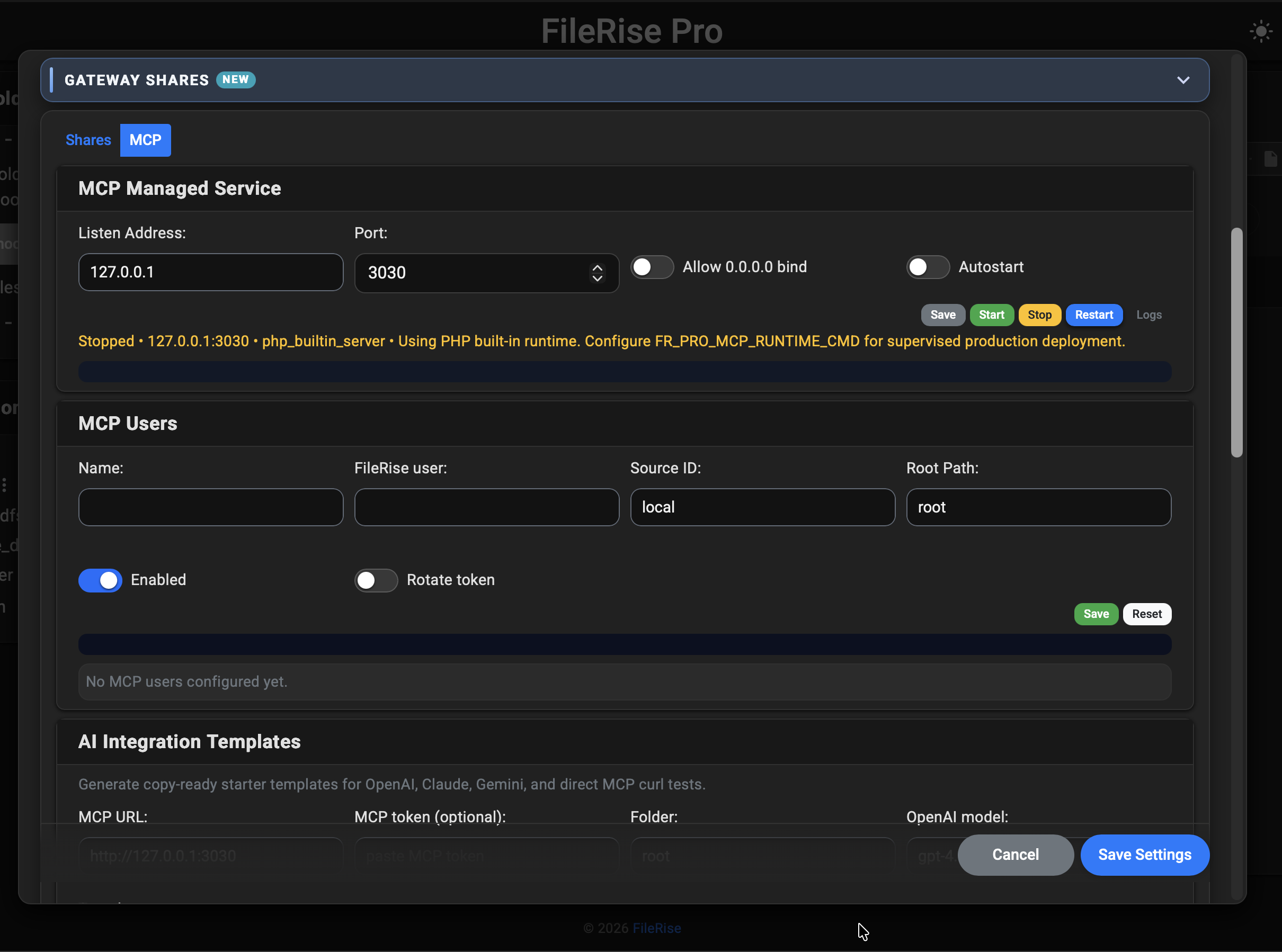
Configure Gateway Shares, run managed start/stop controls, and use MCP tab service/user workflows.

FileRise Pro: Client Portals Demo (Custom Upload Portal + Form Presets) thumbnail

FileRise Pro: Client Portals Demo (Custom Upload Portal + Form Presets)

Live

Build branded client upload portals with presets, permissions, and client-friendly file intake workflows.

What FileRise Pro customers are saying

Real-world feedback from recent purchases and production usage.

Customer feedback Common themes: lightweight setup, faster than heavier stacks, and easier client file handoff workflows.

“Easy to install, nice UI, and it’s working fine without problems.”

Stephan Nestler | DJKenzo

What FileRise Pro adds today

On top of the free FileRise core, Pro v1.10.0 adds multi-source storage adapters, powerful access control, client-facing portals, Gateway Shares, automation hooks that plug directly into your existing folders, and a permissions-aware AI workspace.

Click any screenshot to open the gallery. Use on-screen arrows or keyboard Left/Right to move between images.

Not just chat FileRise Pro AI can extract, organize, compare, summarize, and automate file workflows inside real FileRise scope.
Explore AI workflows

FileRise Pro AI

Turn messy files into structured data, organized folders, and approval-gated workflows all inside real FileRise permissions.

  • Structured extraction: turn invoices, forms, and scanned documents into JSON/CSV using your custom schema
  • Organize folders automatically: sort messy folders by type or year with preview + confirm
  • Bulk AI workflows: rename, move, copy, delete, tag, and organize with confirmation before destructive work
  • Watched-folder automations: trigger extraction, tagging, or transcription when files arrive
  • Share and portal scoped copilots: read-only assistants that search, summarize, and compare only visible files with cited answers
  • Admin controls and reporting: usage, approvals, activity history, throttles, provider controls, and data-egress visibility
ACL-scoped approval-gated auditable cited answers rate-limited provider-aware

permissions-aware AI workspace • structured extraction • approval-gated workflows • scoped copilots • admin controls

Sources (turn FileRise into a file hub) (Pro v1.10.0)

Connect local storage alongside WebDAV, SMB, FTP, SFTP, S3-compatible storage, Google Drive, OneDrive, and Dropbox. Switch sources inside the same FileRise UI without separate installs. The demo highlights dual-pane drag-and-drop between sources.

Dual-pane drag between S3/SMB/SFTP/WebDAV/Drive.
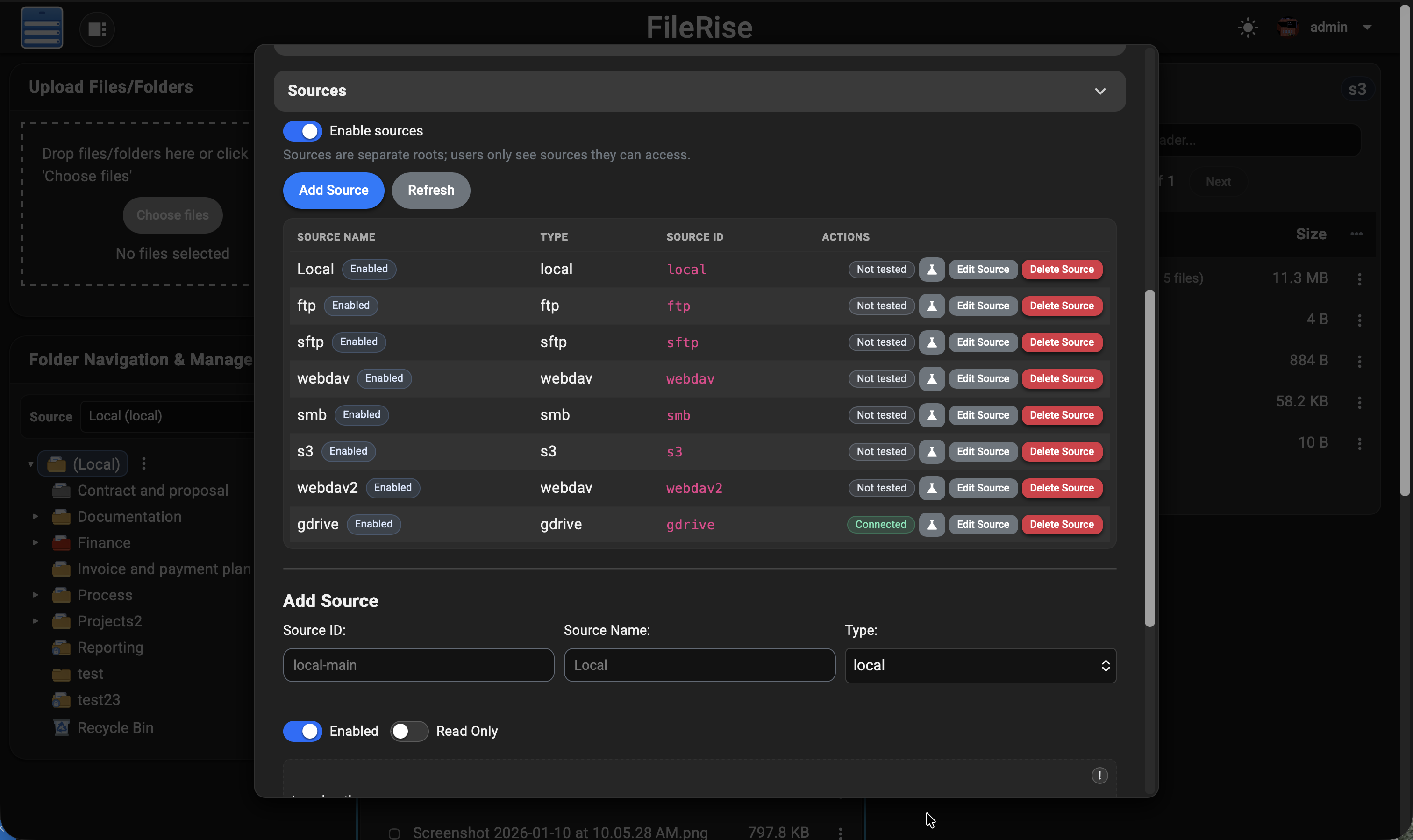
FileRise Pro Sources view showing multiple storage backends

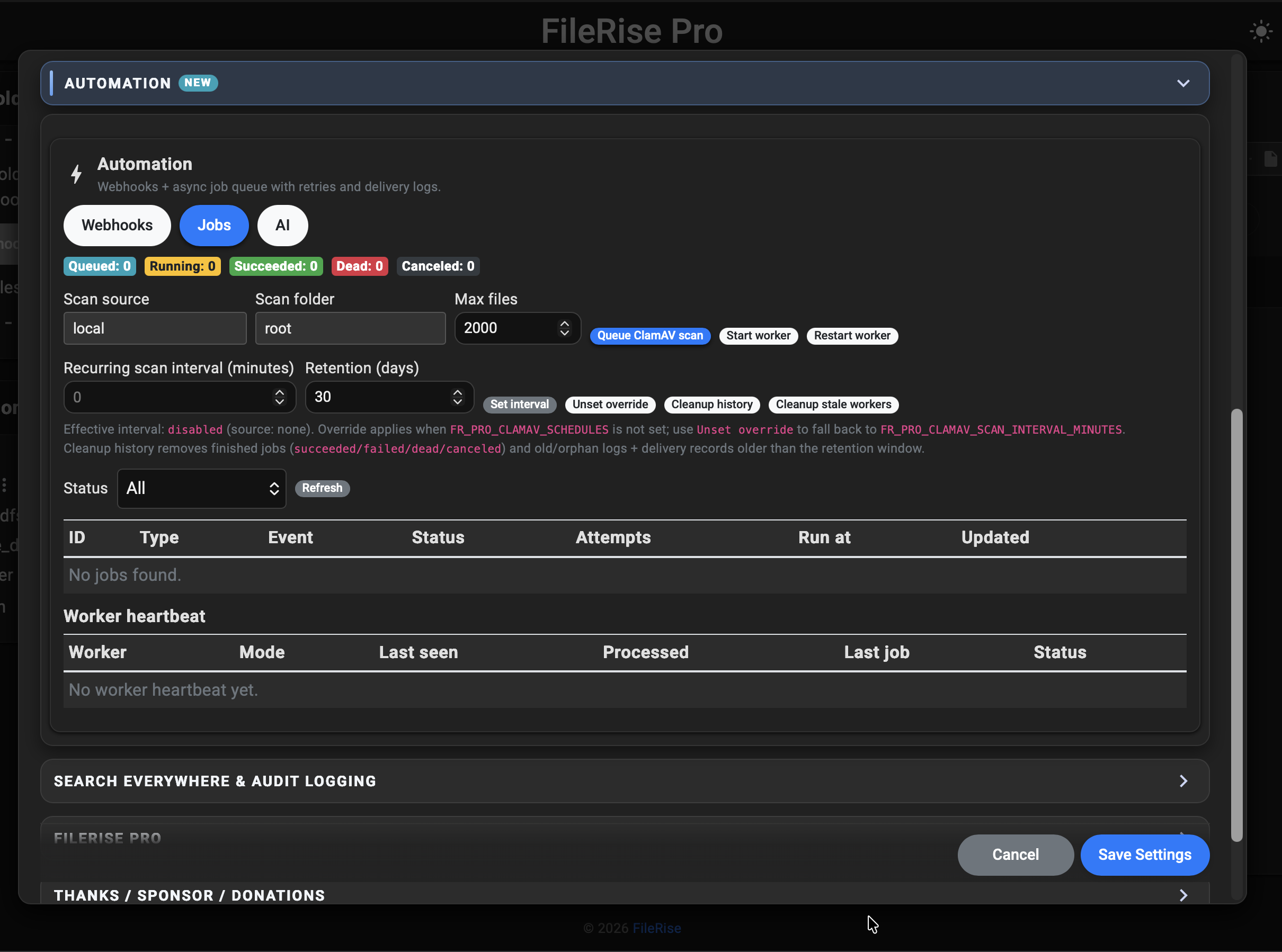
Automation: Webhooks + Jobs

Send file/share/portal events to your other apps without slowing down user requests. FileRise Pro handles delivery retries and job history in one admin view.

Admin → Automation (Webhooks | Jobs)
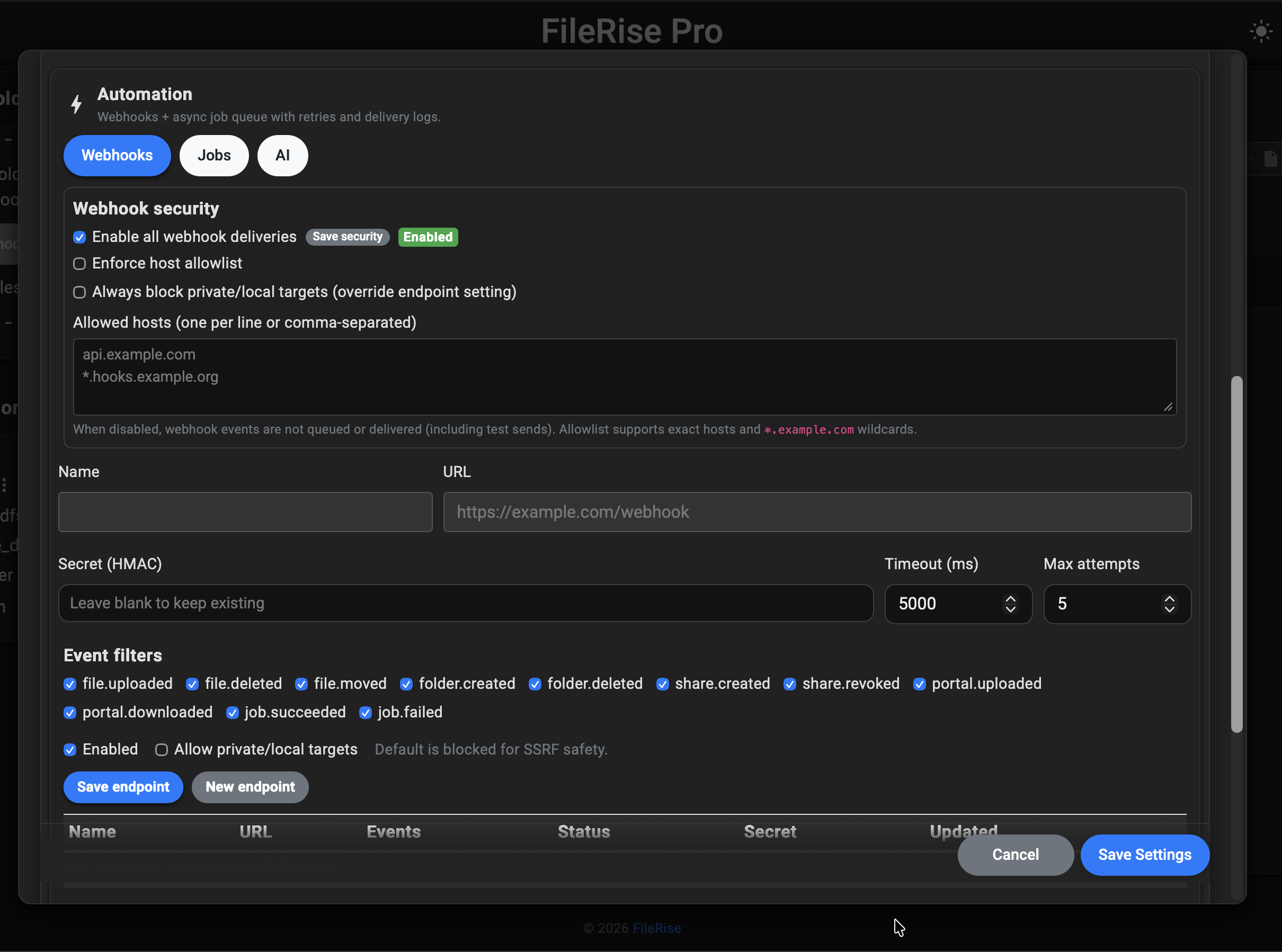
FileRise Pro Automation Webhooks screen showing endpoint configuration FileRise Pro Automation Jobs screen showing queue and worker status

See the automation overview page.

Gateway Shares v2 + MCP controls

Publish controlled SFTP/S3/MCP access from one admin panel. Scope each integration to a specific FileRise user, source, and root path so outside tools only see what they should.

External access stays scoped, auditable, and aligned with real FileRise permissions.
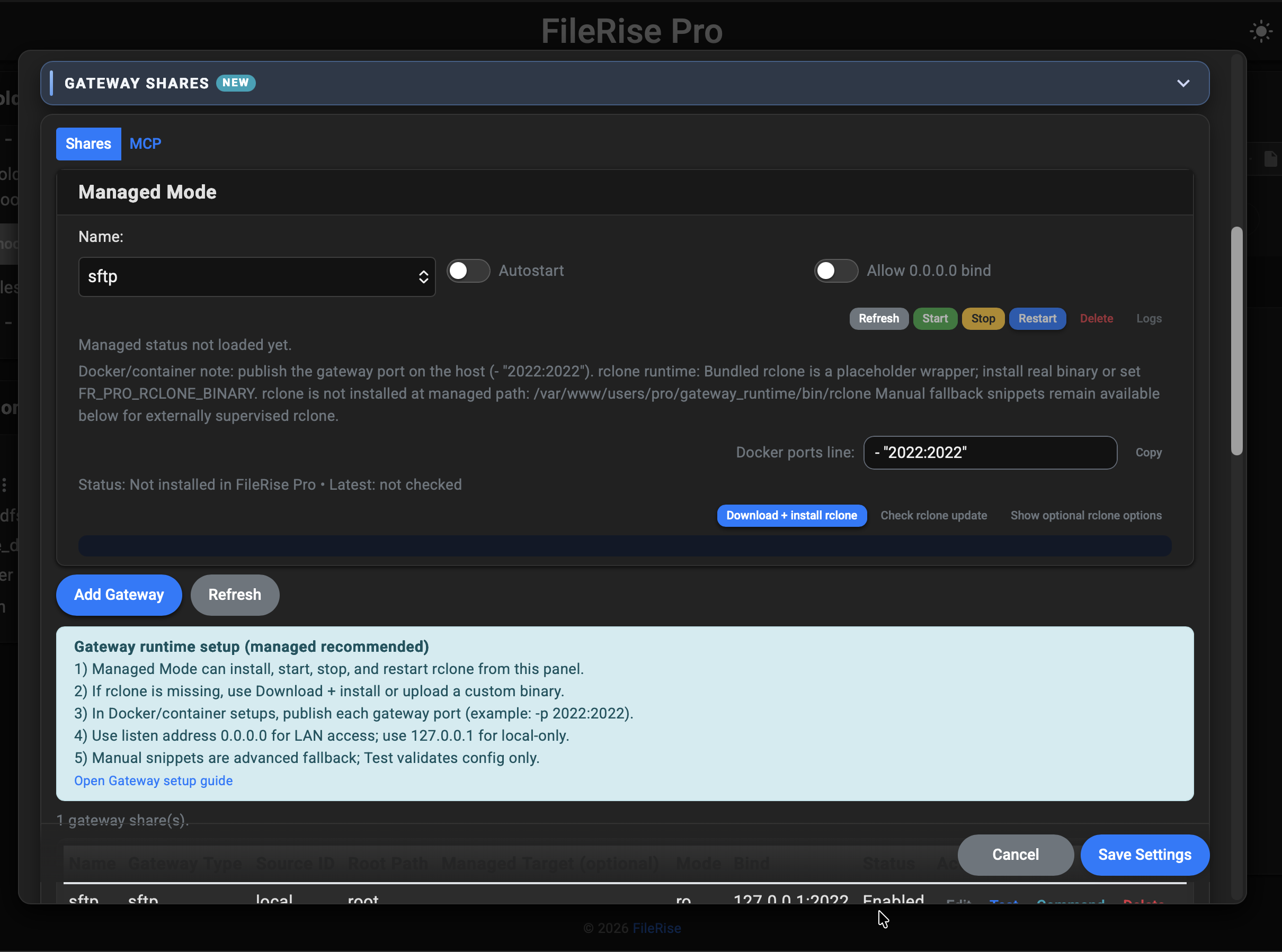
FileRise Pro Gateway Shares screen showing managed share controls FileRise Pro MCP controls screen showing scoped users and tokens

See Gateway Shares docs.

User groups & ACLs

Define named groups (e.g., “Accounting”, “Clients A–M”), assign users to them, and grant folder access once per group instead of user-by-user. Group access is additive with each user’s own permissions.
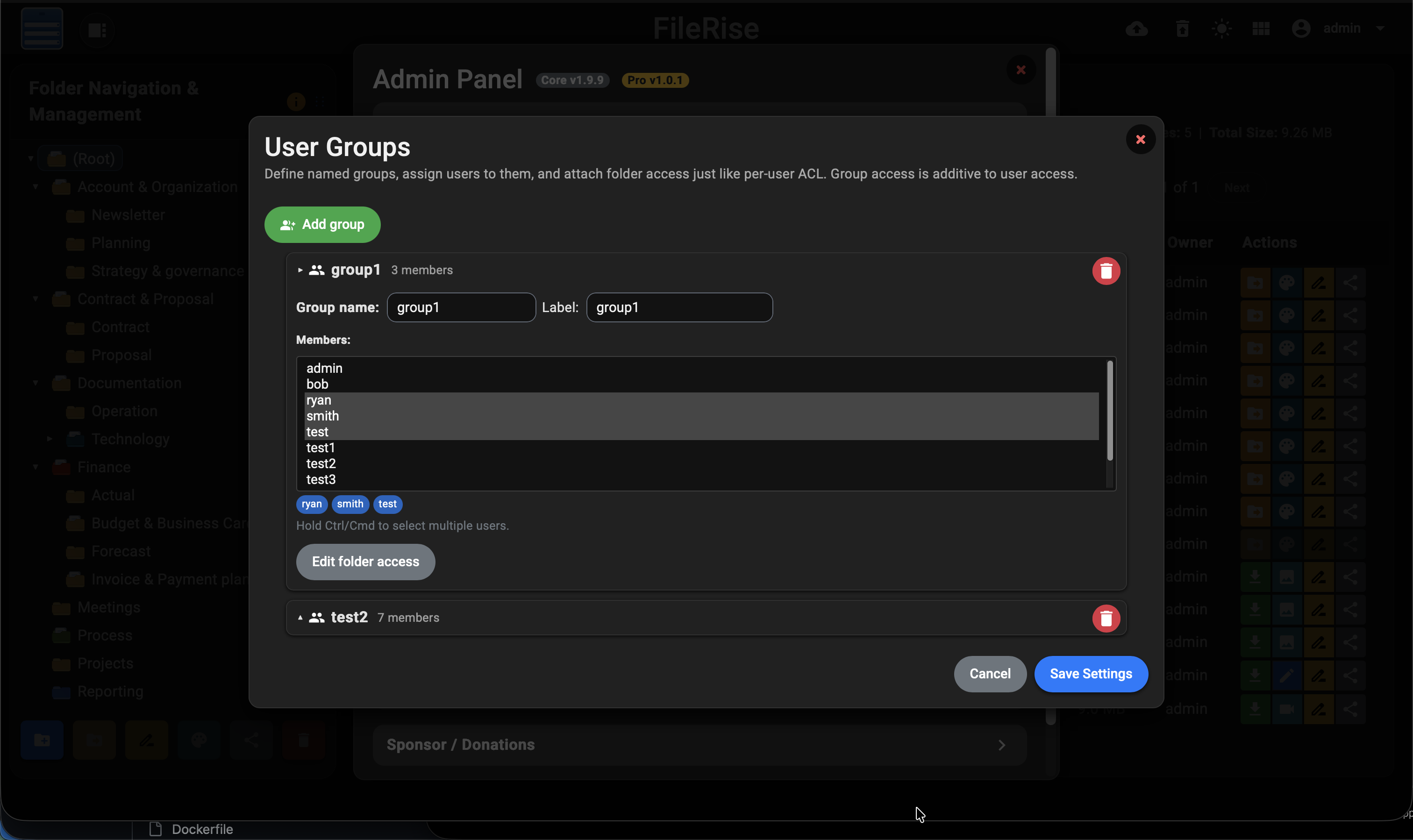
FileRise Pro user groups management showing collapsible groups and members

Client upload portals

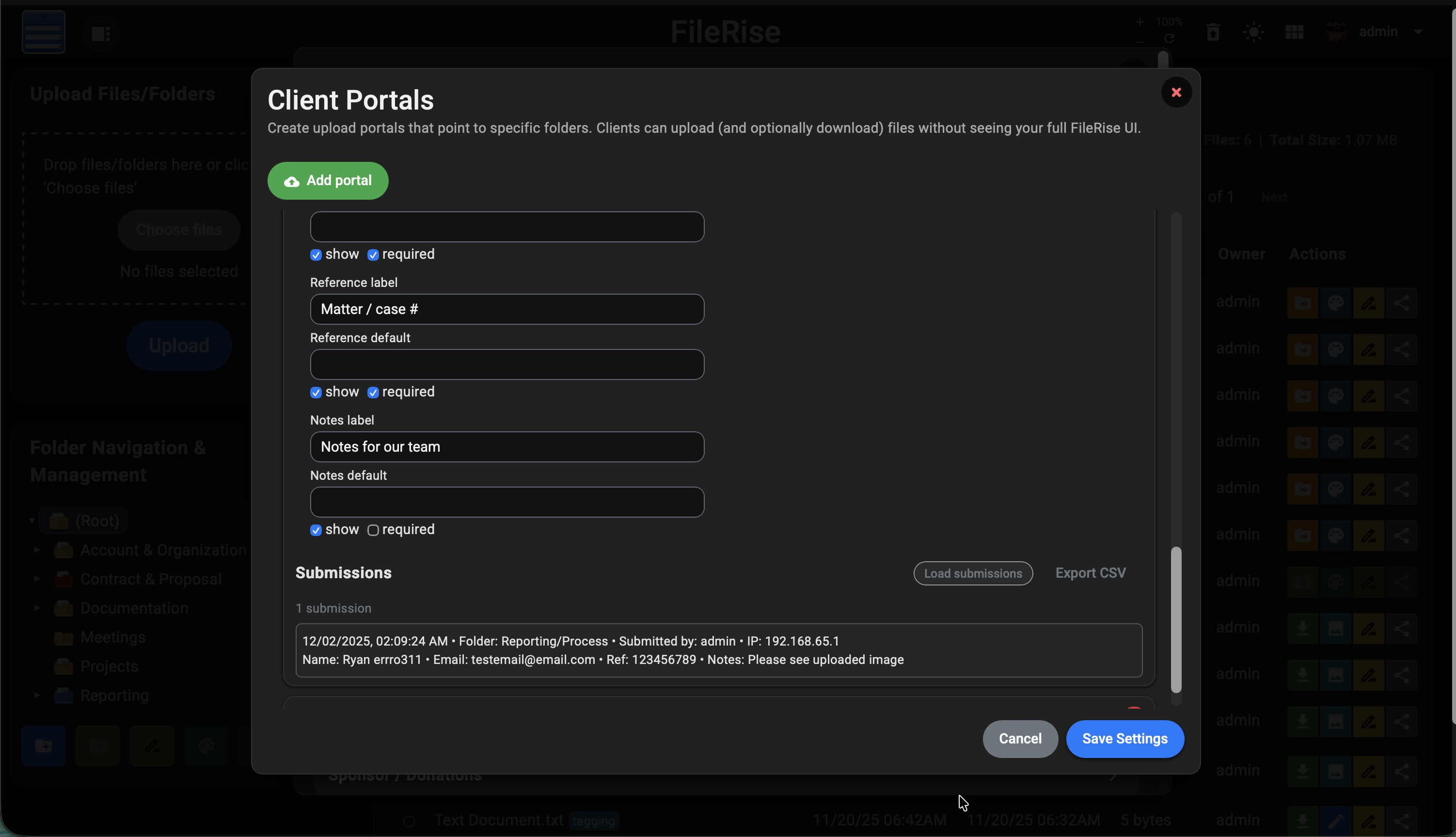
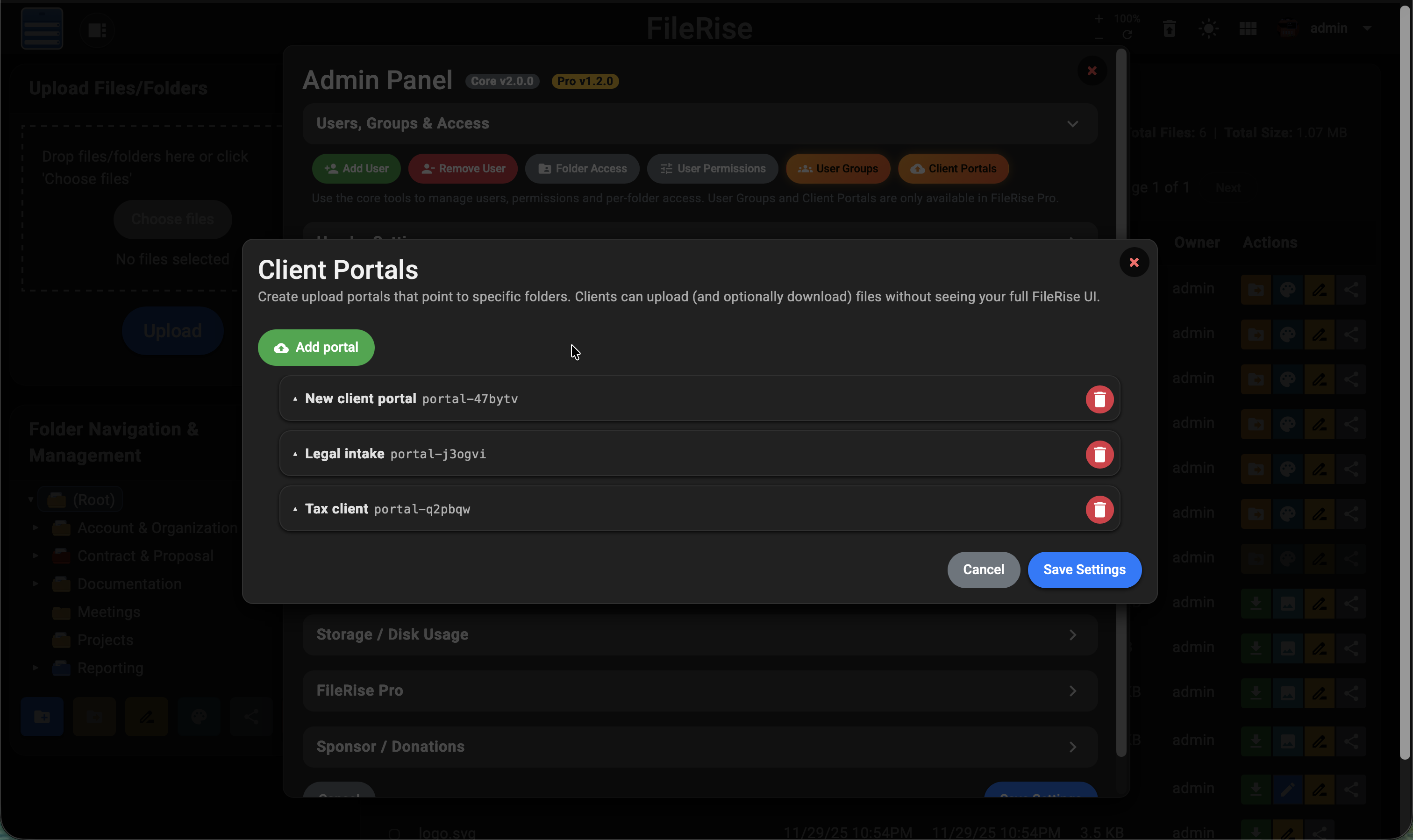
Create branded client portals that point to specific folders. Configure URLs, expiry dates, accent colors, per-portal logos, upload rules (size & file types), optional intake forms, and an optional thank-you screen after upload. Every portal has its own submissions log and CSV export.
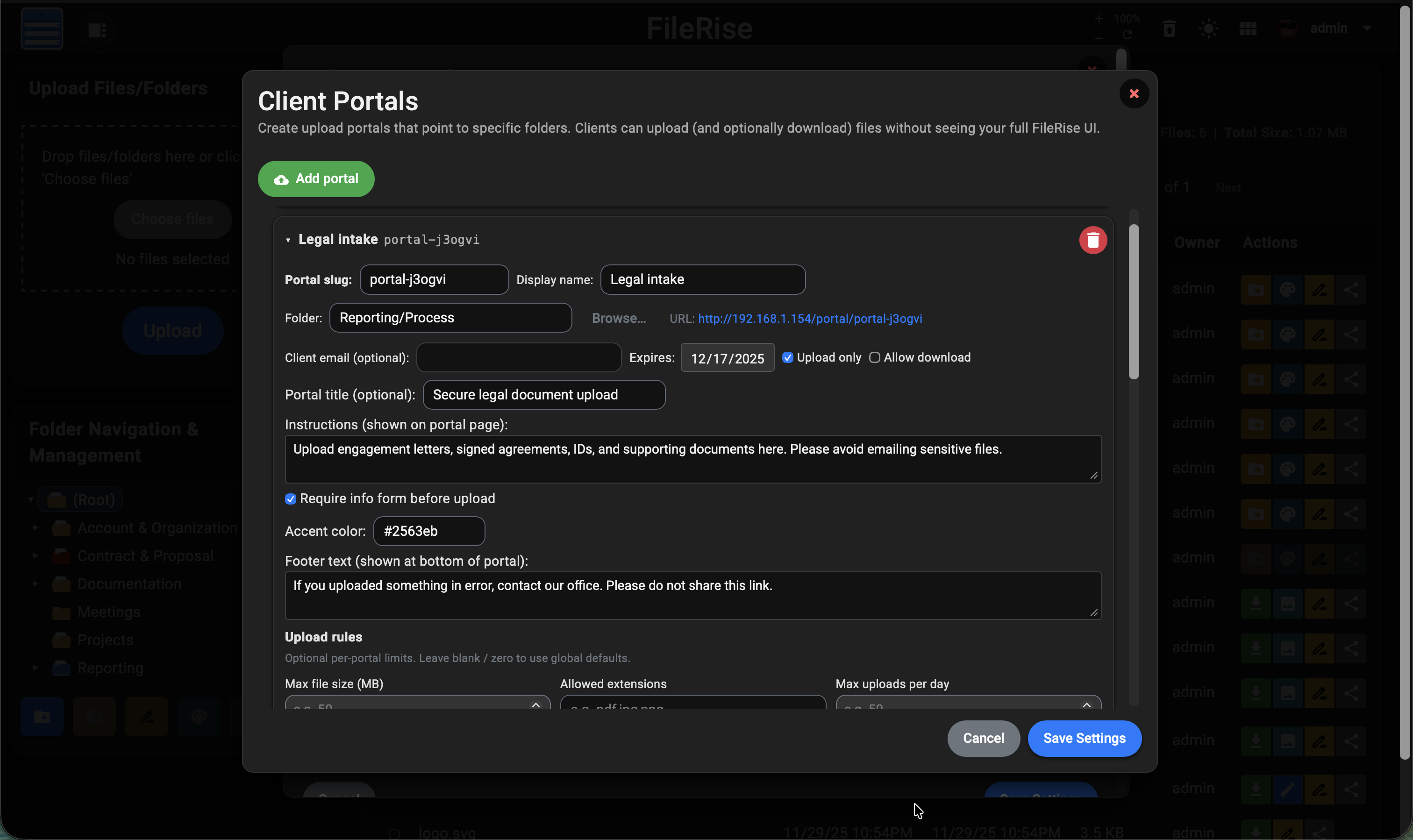
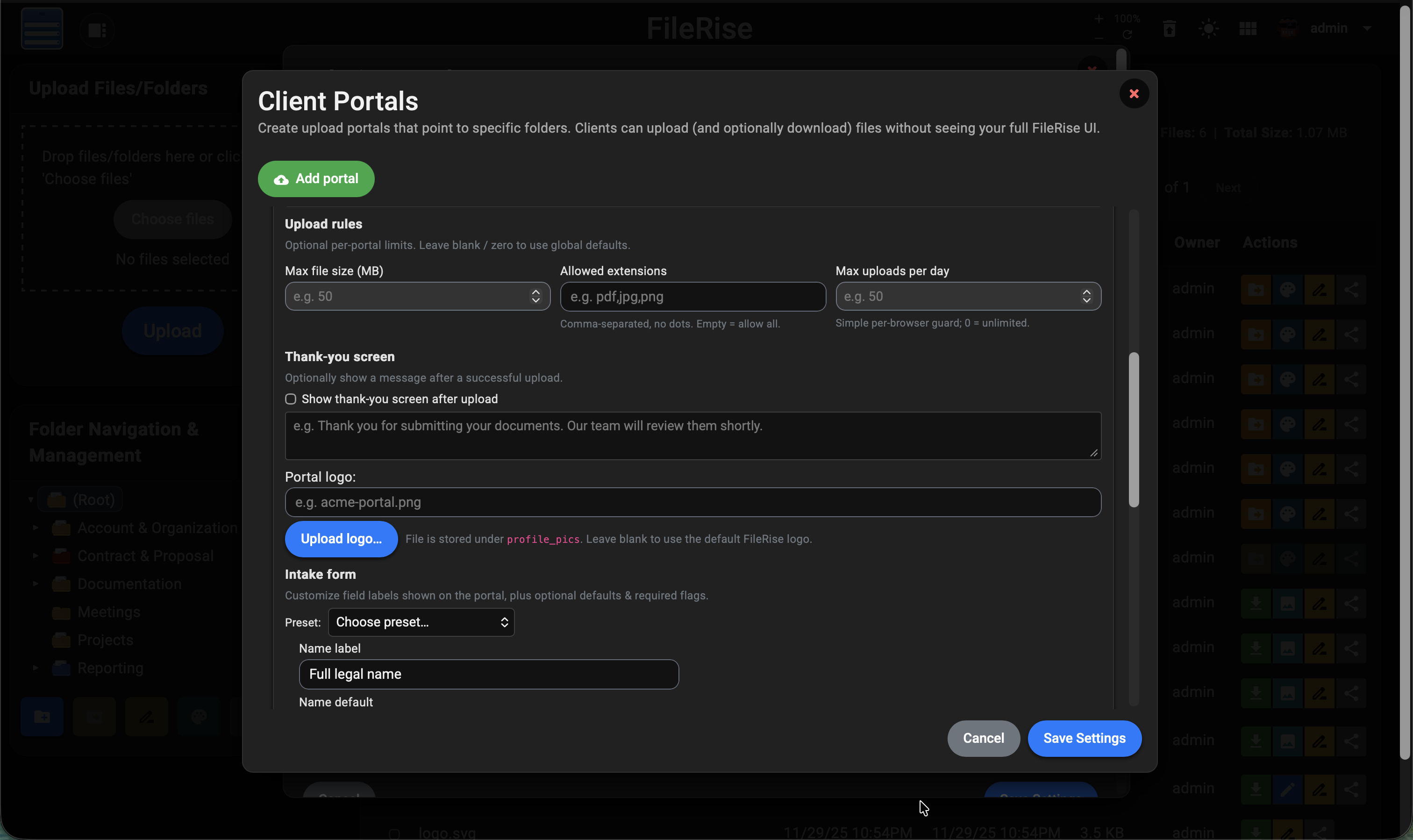
Client portal with legal intake template and upload rules configuration Client portal upload rules, thank you screen, logo upload and intake form header Client portal intake form body with submissions list and CSV export button Admin view of multiple collapsed client portals in FileRise Pro

What your clients see

Clients get a clean, focused experience: a simple login screen branded with your logo and colors, then a streamlined upload page with your intake fields, upload rules, and optional thank-you message. No exposure to your main FileRise UI.
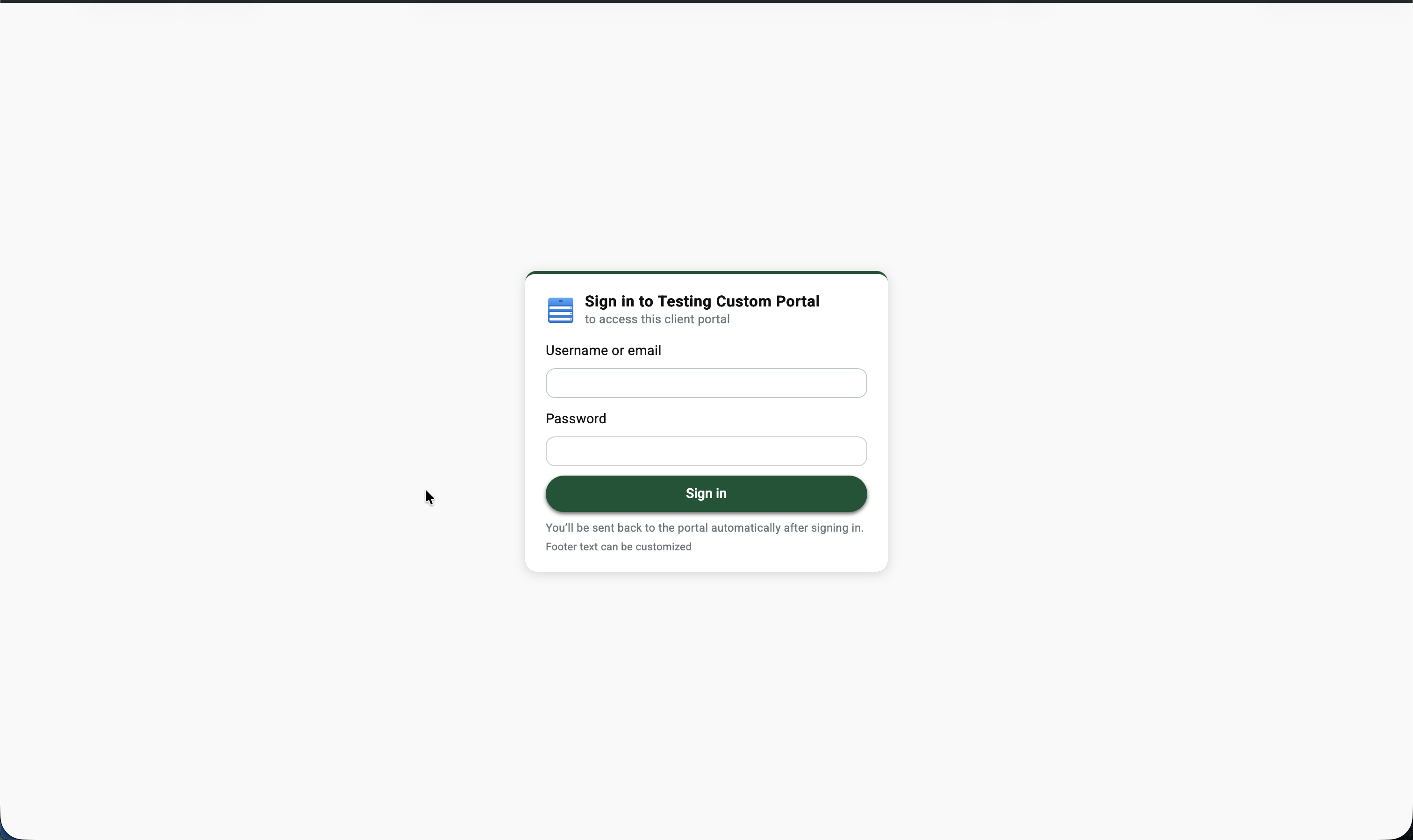
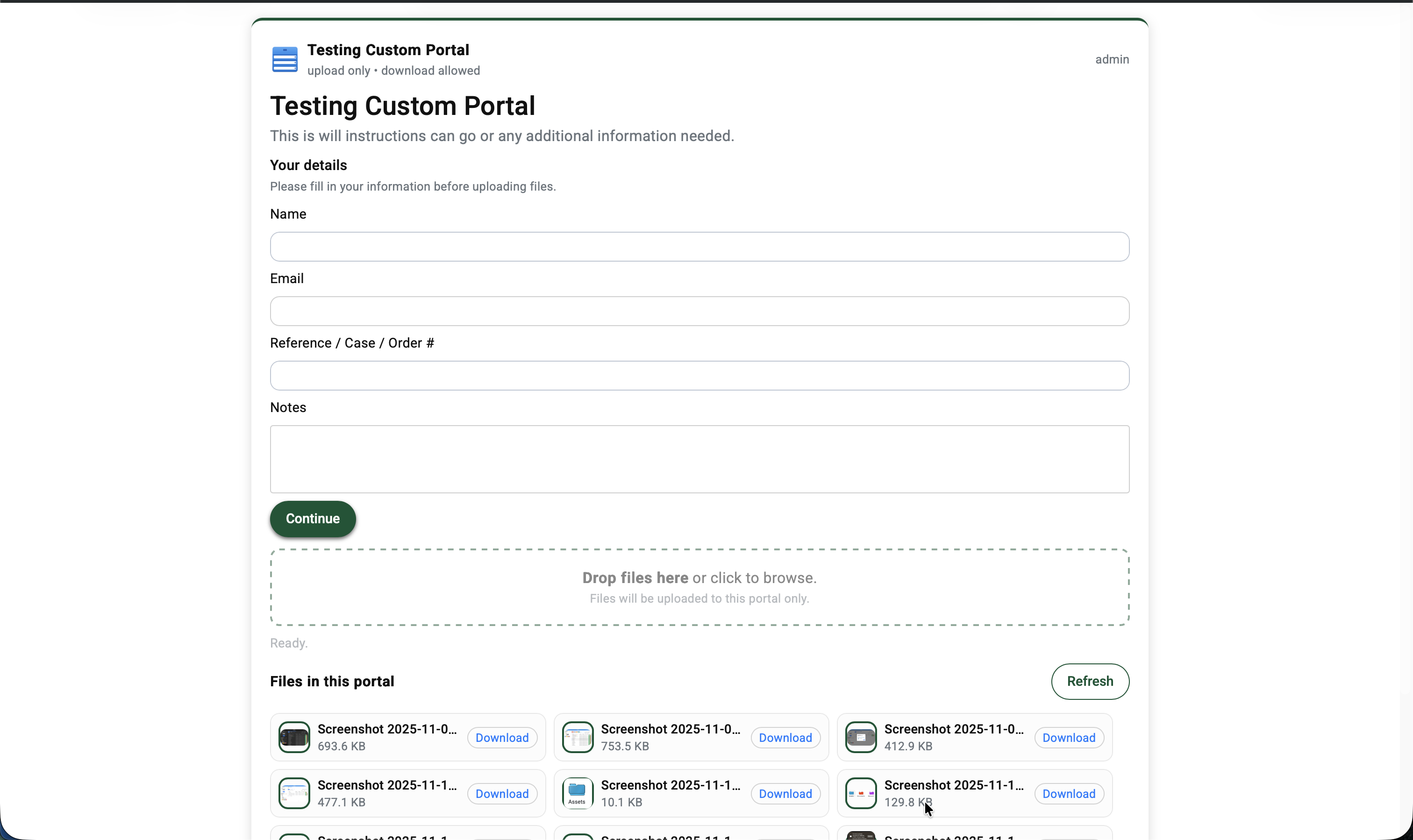
Client-facing login screen for a FileRise portal Client-facing portal upload page with optional intake form and file list

Storage explorer / disk usage

Scan your FileRise uploads and get an ncdu-style view in the admin panel: top folders by size, largest files, and one-click cleanup actions directly from the UI.
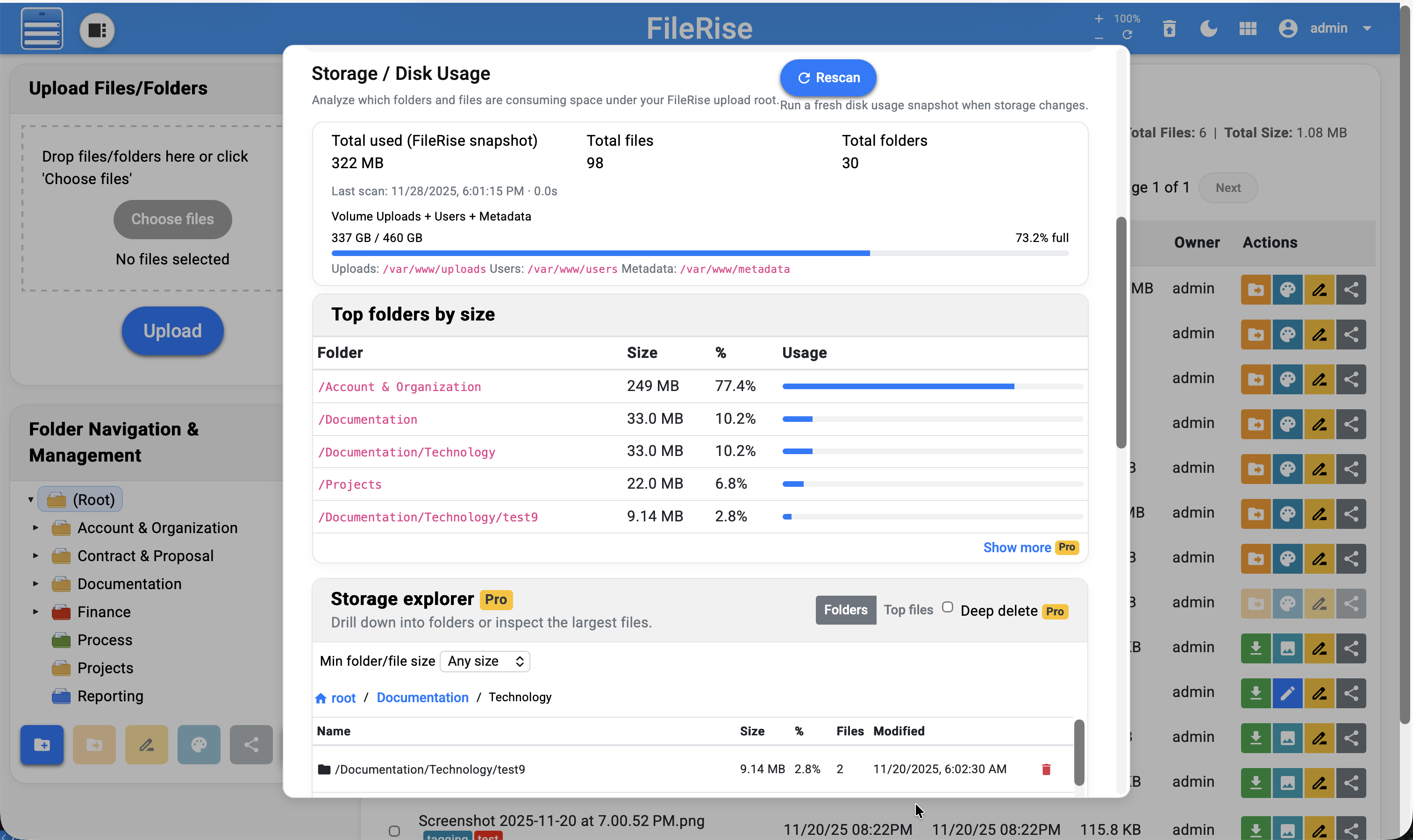
FileRise Pro storage explorer showing disk usage by folder and largest files

Audit logs & activity history

Track file and folder activity across your instance: uploads, downloads, renames, deletes, and share events. Admins get a full log viewer with filters and CSV export, plus per-folder export for managers.
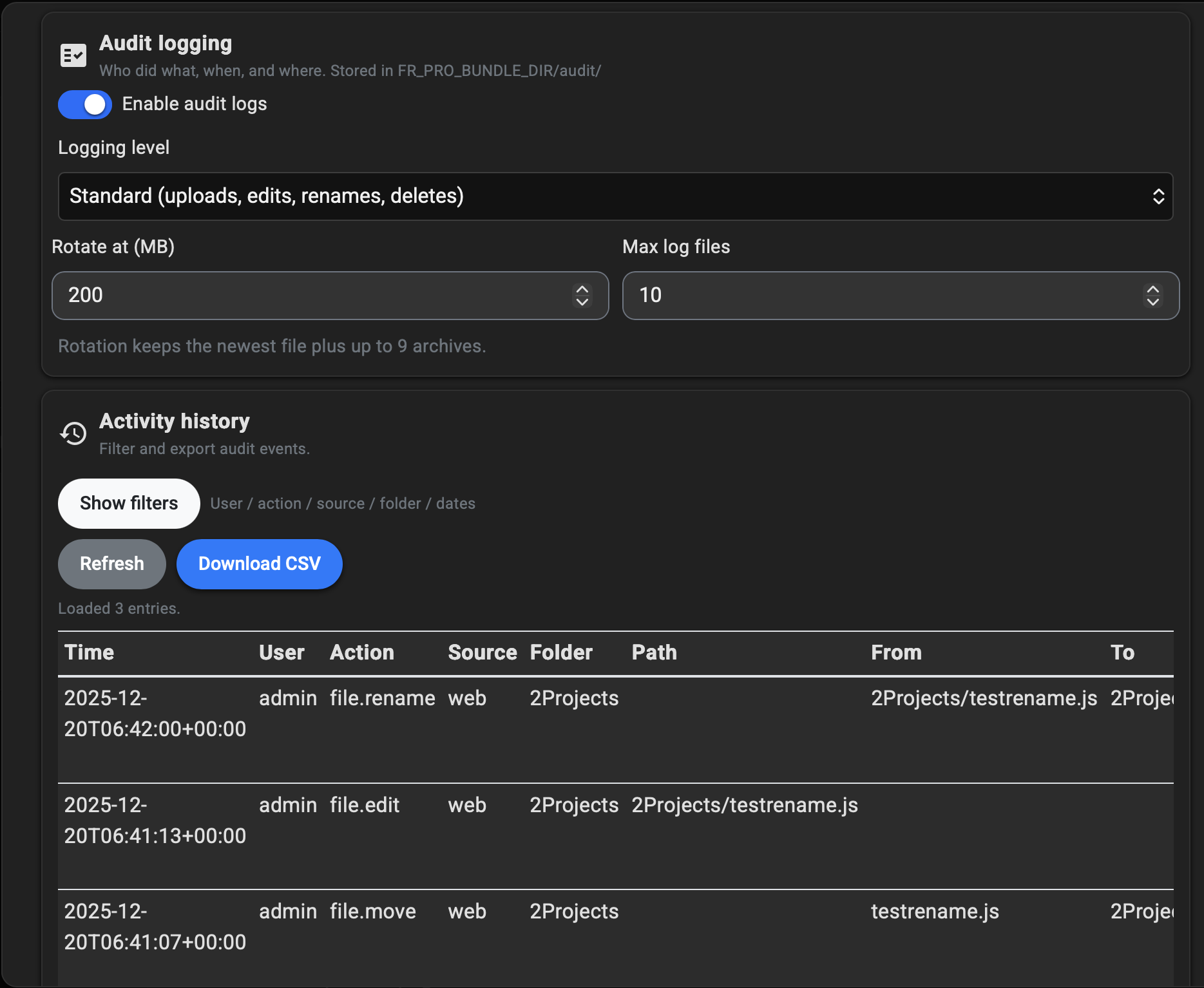
FileRise Pro audit logs table with filters and CSV export
Need these Pro features? Compare plans and buy in under a minute. Optional Instance IDs can be added now or during activation.
Get Pro (from $49.99, keep forever)

Pro roadmap

These are features being explored for future FileRise Pro releases. Roadmap is not a legal promise, but a rough guide of where Pro is heading.

FAQ

Is FileRise core really free?
Yes. The main FileRise app is open-source and MIT-licensed on GitHub. You can run it on your own server, fork it, or customize it.
What does my FileRise Pro purchase include?
A license key and a Pro bundle ZIP with closed-source add-ons (for example, branding and Pro-only endpoints). You can use these on your own server according to the FileRise Pro license.
Is FileRise Pro open source?
No. FileRise core is open-source and MIT-licensed, but FileRise Pro is a closed-source, commercial add-on bundle. Your purchase gives you a license to run the Pro add-ons on your own servers, but you may not redistribute the Pro source code or share the bundle publicly. The detailed terms are in LICENSE-Pro.txt inside the Pro ZIP.
Do I need internet access for FileRise Pro to keep working?
No. Your license is validated locally using a signed key. After activation, FileRise Pro does not need to talk back to filerise.net to keep working.
Can I still use FileRise without Pro?
Absolutely. Pro is optional. The core app remains fully usable without any Pro features enabled.
Where do I get help?
If you run into issues with FileRise or FileRise Pro, you can: open a GitHub issue on the FileRise repo, or join the Discord server (link in the header) and ask in the support channel.